
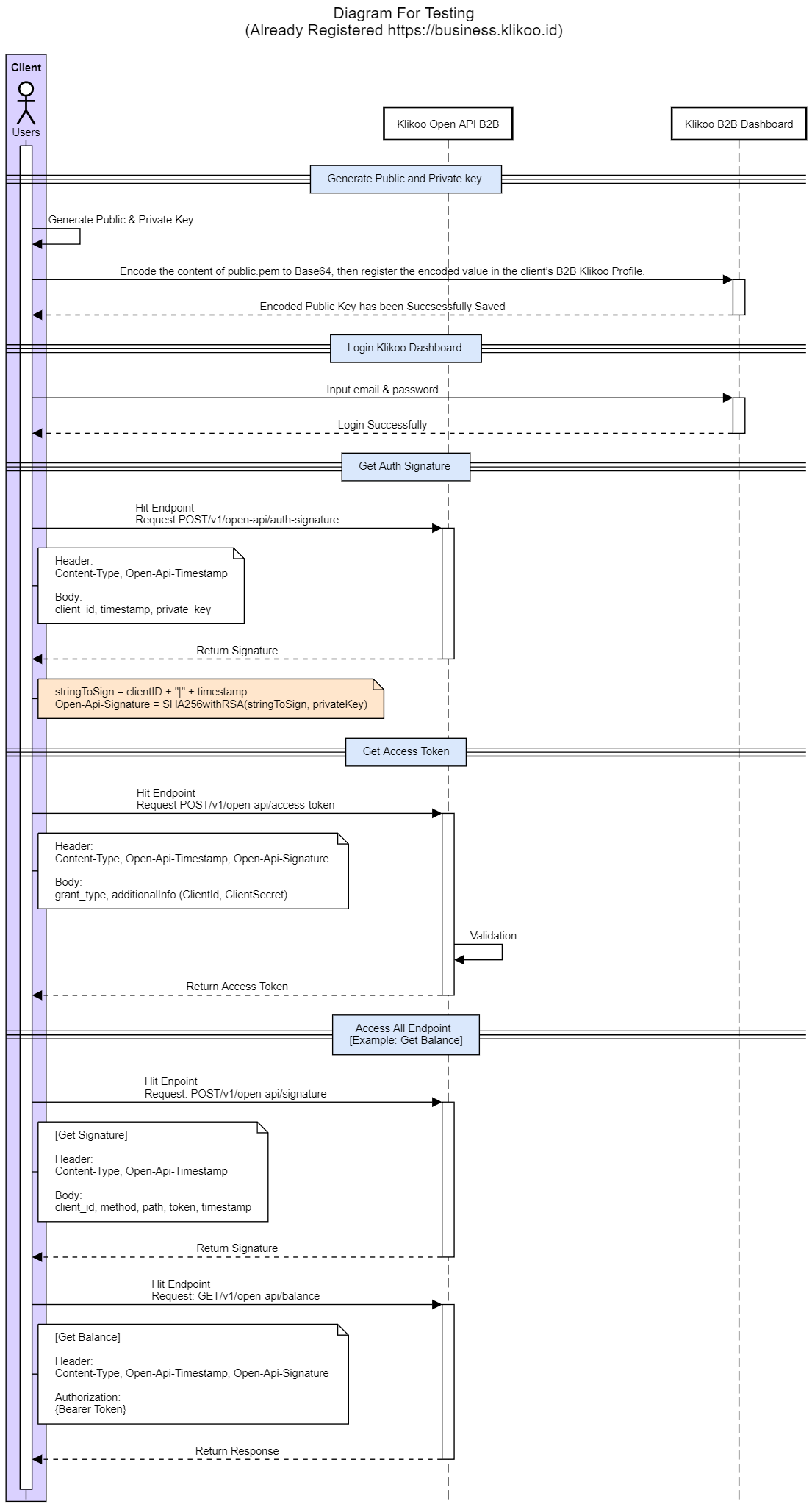
Steps to follow before using the Klikoo OpenAPI:
- Login & Register:
Access the Klikoo dashboard using this link: https://business-klikoo.stage.pvg.im/dashboard.
If you don't have an account, click “Buat Akun” on the login page to register.
- Create an Account:
Complete the registration process, and once your account is created, inform the Klikoo team.
- Access the API Documentation:
Open the Klikoo API documentation and follow the instructions to complete the authentication process:
- Step 1: Access Token – Generate the access token required for authentication.
- Step 2: Digital Signature – Set up the digital signature necessary to validate API requests.
- Configure the Callback URL:
Provide a Callback URL to receive responses from the Klikoo API. Send this URL to the Klikoo team for configuration in the system.
-
Prepare for API Testing:
After completing and confirming the setup with the Klikoo team, proceed with testing the Mock API:
-
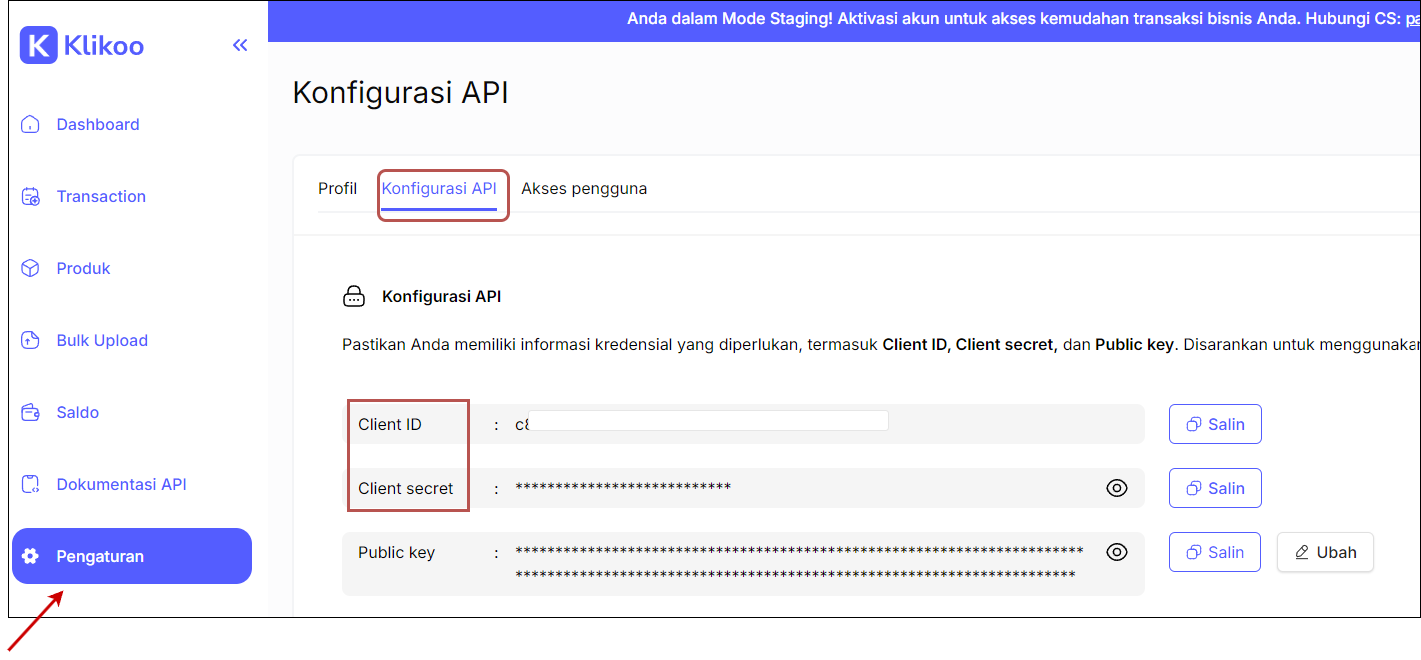
Log in to the Klikoo Dashboard and navigate to the Konfigurasi API section.
-
Copy your client_id and client_secret for use in the API.
-
Hit the Get Auth Signature endpoint to get the signature needed to get the access token.
-
Use the Get Token API to authenticate and gain access to all endpoints.
-
Hit the Get Signature endpoint to get the signature needed to access all endpoints.
-